FX207 Smart LED
The Famoco Tap&Go (FX207) device is equipped with a customizable RGB LED ring surrounding the NFC tap area. With it, you'll be able to customize how the device reacts to events in your business applications, making actions stand out to your users.
For example, if the device is used to validate payment transactions or for access control, make the LED shine Green or Red depending on a go/no-go.
Sample App
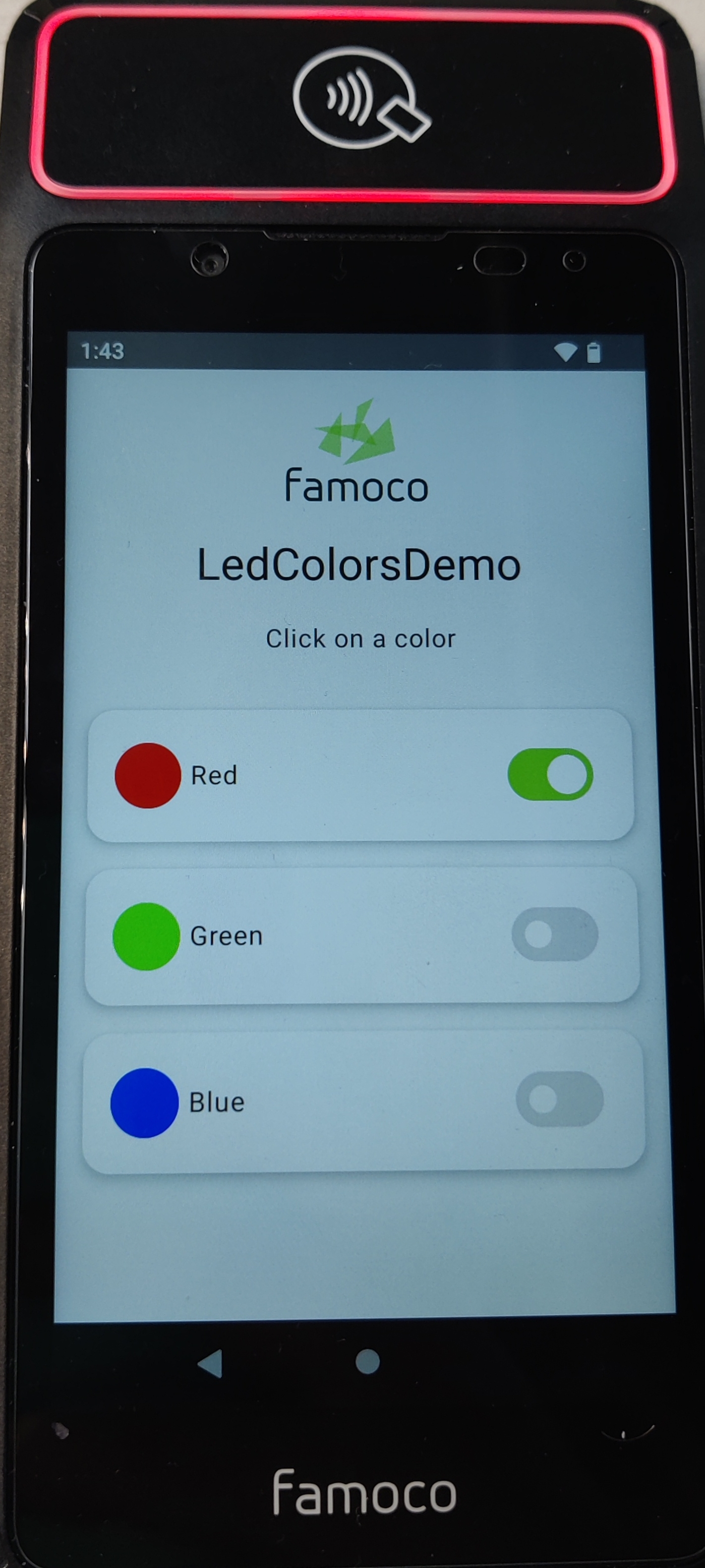
Famoco provides a Sample App in order to demo LED colors, and the effects of mixing color settings (e.g. activating the red and blue toggles turns the LED purple). Click here to download this app.
Sample Code
Controlling the LED is done by using the Android Hardware Lights API documented here.
Access to this feature requires the following permission in the Application's Manifest:
<uses-permission android:name="android.permission.CONTROL_DEVICE_LIGHTS"
tools:ignore="ProtectedPermissions" />
The tools:ignore="ProtectedPermissions" attribute is present in order to suppress warnings from developer tools
such as Android Studio.
Find below a very simple example of Kotlin function which you could incorporate into your business applications:
import android.hardware.lights.LightsManager
import android.hardware.lights.LightState
import android.hardware.lights.LightsRequest
import androidx.compose.ui.graphics.Color
import androidx.compose.ui.graphics.toArgb

private fun setNfcLight(inputColor: Color) {
    var ledColor = toArgb(inputColor)
    val lightList = lightsManager.lights
    val nfcLight = lightList.find { it.type == 100 } // LIGHT_TYPE_NFC

    val state = LightState.Builder().setColor(ledColor).build()
    val request = LightsRequest.Builder().addLight(nfcLight, state).build()

    if (::session.isInitialized) {
        session.requestLights(request)
    }
}
This function requires a session object (instance of LightsManager.LightsSession) to be created and initialised
elsewhere in your application:
private lateinit var session: LightsManager.LightsSession
private lateinit var lightsManager: LightsManager

(...)

override fun onCreate(savedInstanceState: Bundle?) {
    (...)
    lightsManager = getSystemService("lights") as LightsManager
    (...)
}

(...)

override fun onResume() {
    super.onResume()
    session = lightsManager.openSession()
}

override fun onPause() {
    if (::session.isInitialized) {
        session.close()
    }
    super.onPause()
}